Search for brands or deals...
Find DealsCategoriesHow to UseBlogContact

Free for Android phones & tablets

AussieDiscount mobile app

Verified Australian discount codes in your pocket. Search 106+ stores, copy a code in one tap, and keep it on screen while you check out.

  • Free, no account
  • 106+ Australian stores
  • Saved codes stay on your phone
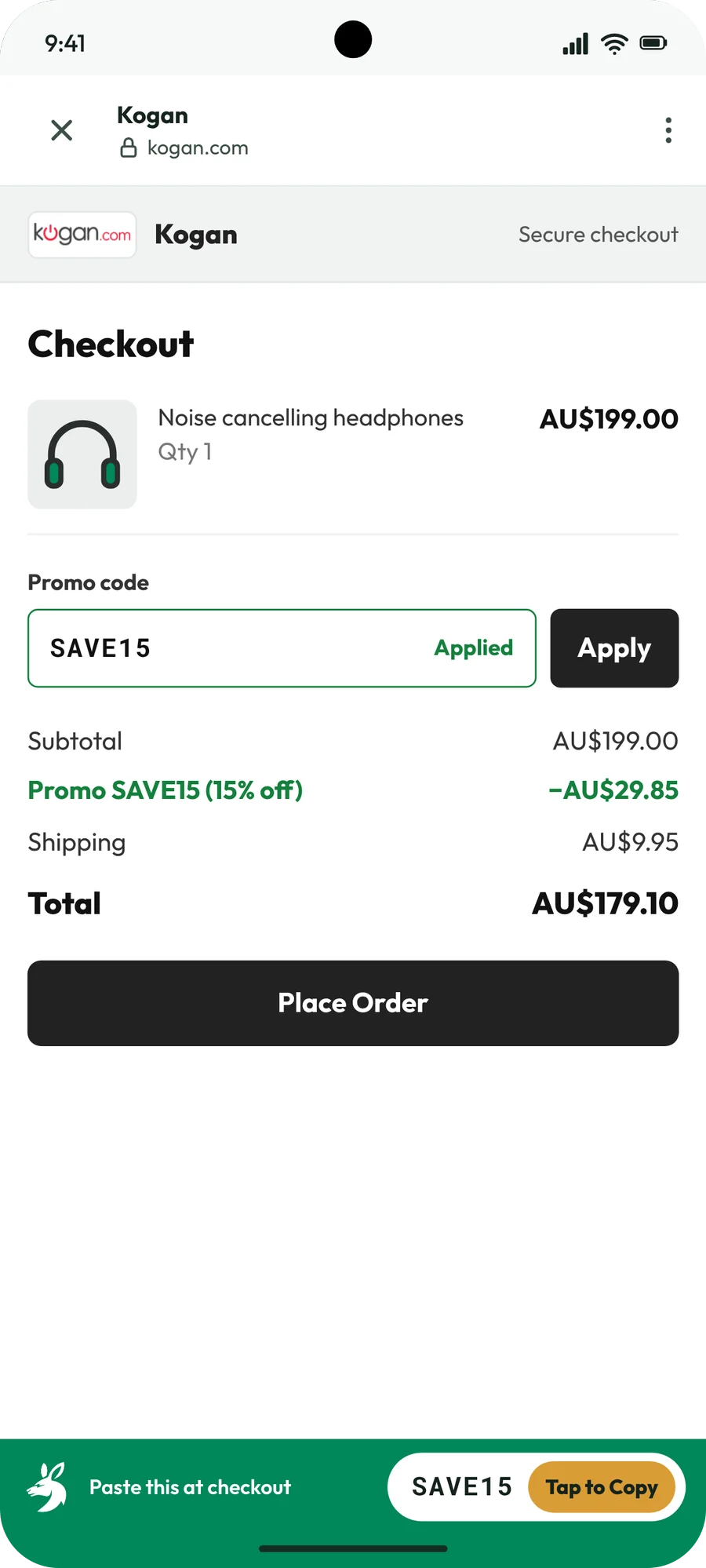
The AussieDiscount app open on a store checkout, with the code SAVE15 applied and a green bar keeping it on screen

How it works

From search to saving in four taps

Everything happens in the app, so you never lose your code switching between tabs.

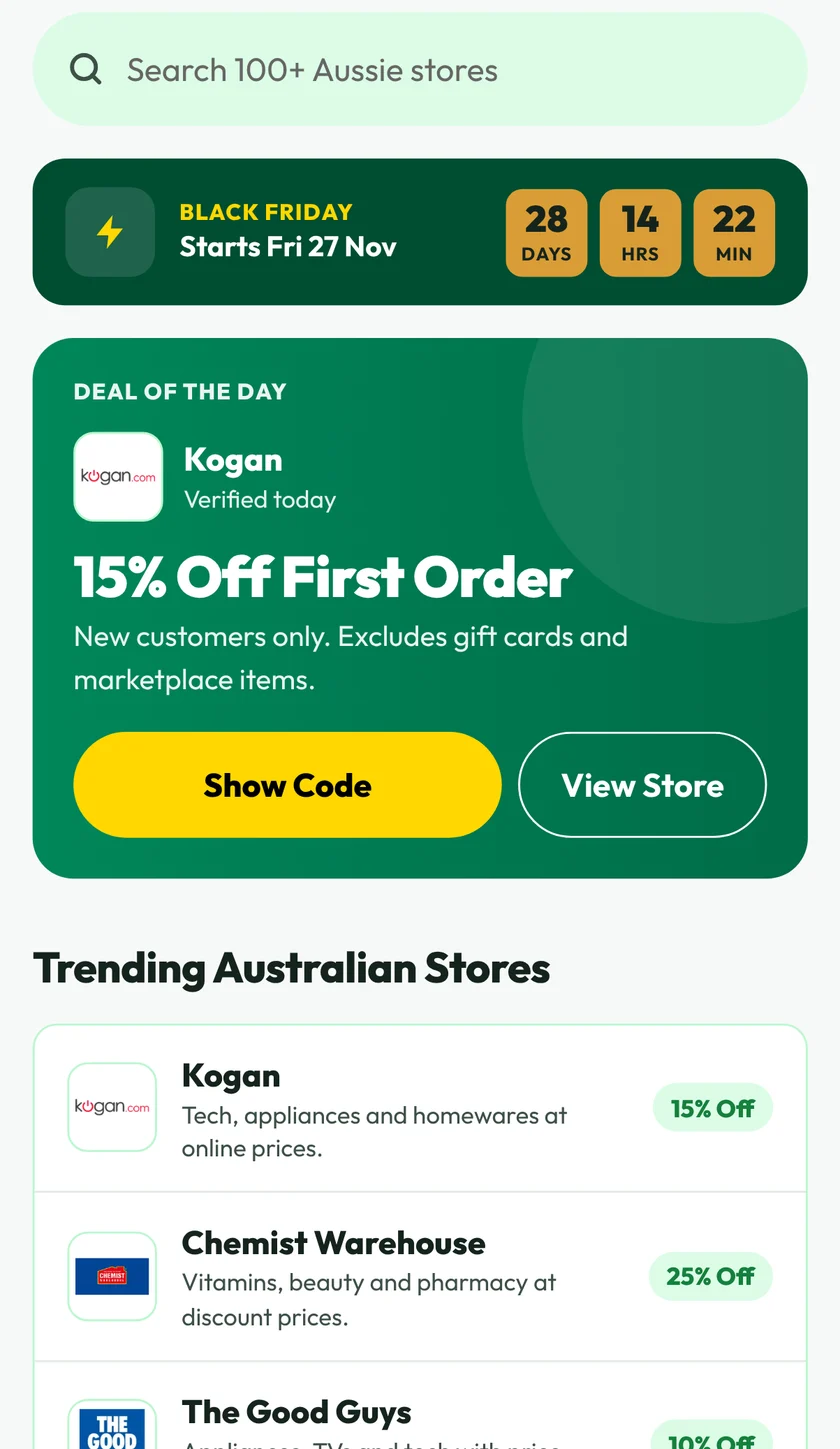
  1. The AussieDiscount home screen with a search bar, a Black Friday countdown, the Deal of the Day and trending Australian stores

    Browse or search

    Open the app for today's Deal of the Day, trending stores and the next big sale. Search any store by name. Search runs on your phone, so what you type isn't sent anywhere.

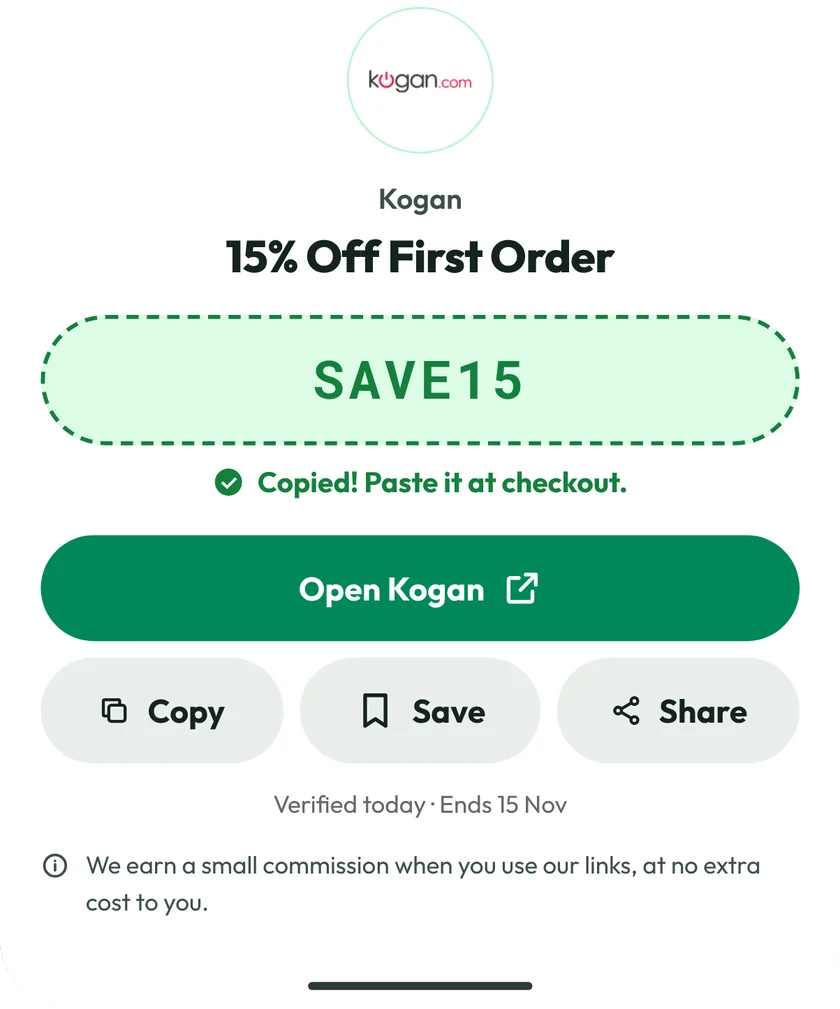
  2. The code sheet for Kogan showing the code SAVE15 as copied, with Open Kogan, Copy, Save and Share buttons

    Tap Show Code

    Every store page lists its codes and deals, with a Verified badge and when each was last checked. Tap Show Code and the code is copied, ready to paste.

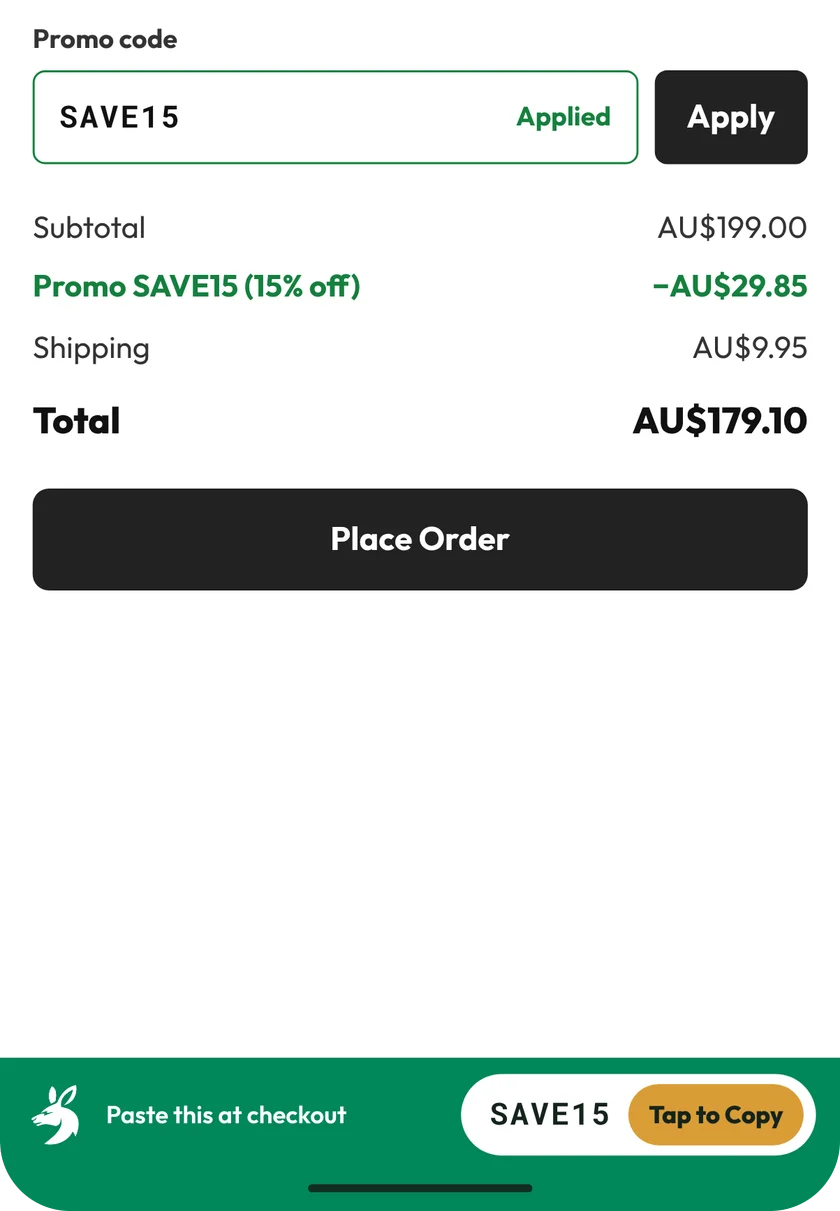
  3. A store checkout inside the app with the code SAVE15 applied and a green bar at the bottom reading Paste this at checkout, with a Tap to Copy button

    Paste it at checkout

    Open the store inside the app. A green bar keeps your code on screen and copies it again with a tap. You paste it and apply it yourself. The app never types into the store's page.

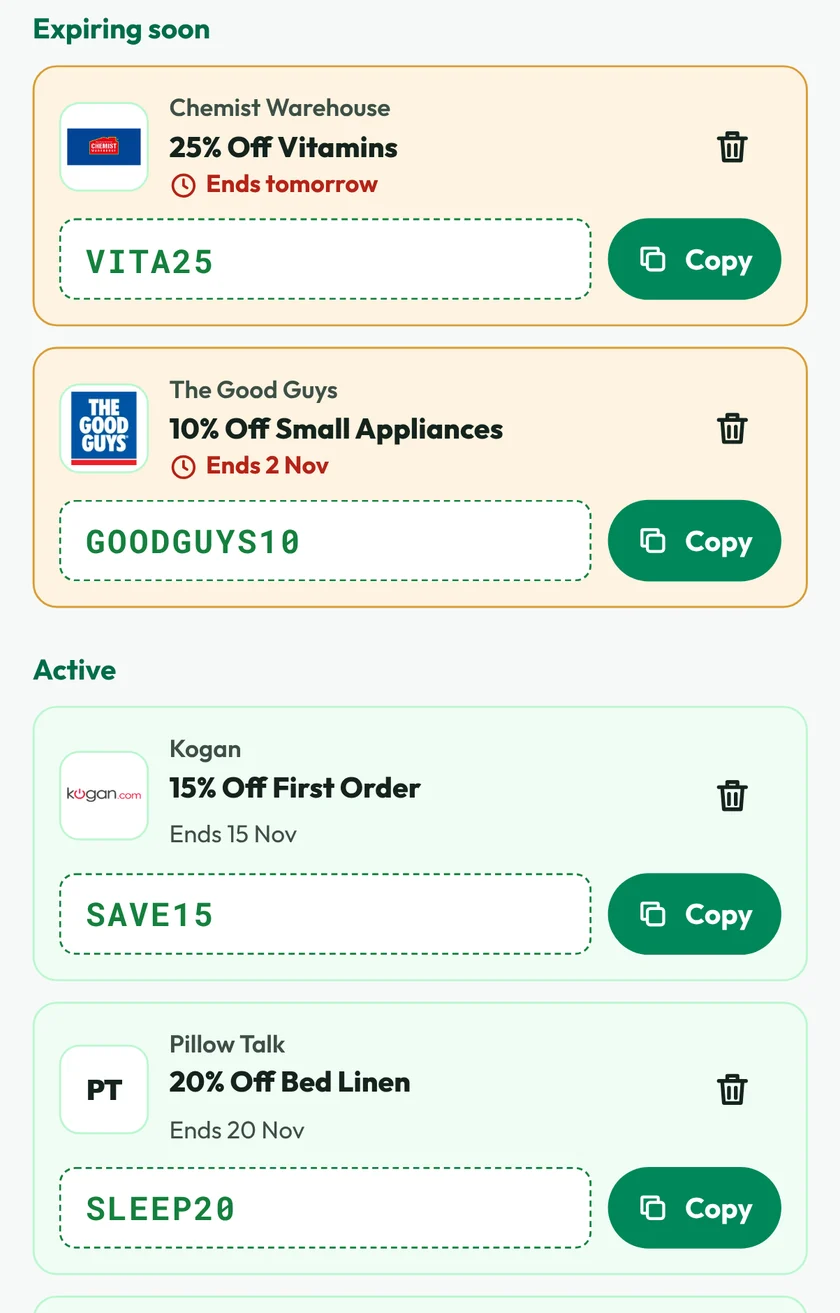
  4. The Saved tab listing codes under Expiring soon and Active, each with a Copy button

    Save codes for later

    Tap the bookmark to keep a code on your phone. The Saved tab sorts them into Expiring soon and Active, and shows which have ended. No account needed.

What's inside

Made for shopping on your phone

The same stores and codes as the website, built to be quick with one thumb.

  • Sales calendar

    Countdowns to the big Australian sales, with the stores taking part and their best codes.

  • Explore by category

    Browse stores by category, filter and sort them, or jump through the A to Z directory.

  • Search on your phone

    Find any store by name. Your searches stay on the device, and recent ones are one tap away.

  • Did it work?

    Tell us whether a code worked so the next shopper knows which ones to try first.

  • Offline friendly

    The deals you last loaded are kept on your phone for up to 24 hours, so they show when your signal drops.

  • Light and dark

    Follows your phone's setting, or pin Light or Dark yourself in the Account tab.

  • Share a deal

    Send a mate a deal, or the app itself, with your phone's own share menu.

  • A person on the other end

    Contact us or report a code that failed from inside the app. A real person on our team reads every message.

Phones and tablets

Works on Android tablets too

Install it from Google Play on your tablet the same way as on a phone. You get the same stores, codes and Saved tab, with more of each store on screen at once. It runs on 7-inch and 10-inch tablets.

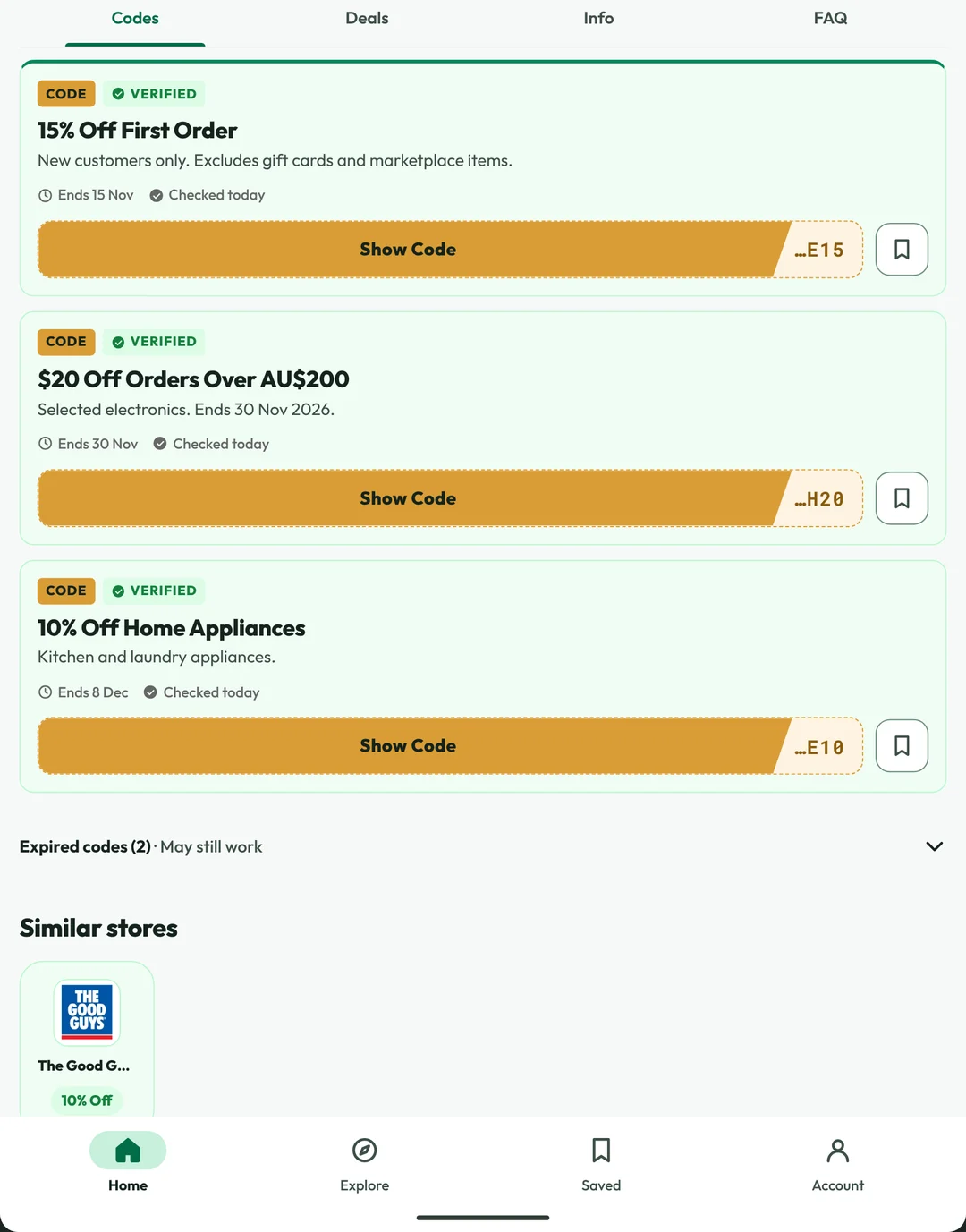
  • A store page on a tablet, with the Codes, Deals, Info and FAQ tabs and three verified codes, each with a Show Code button and a bookmark
    Every code for a store, at a glance
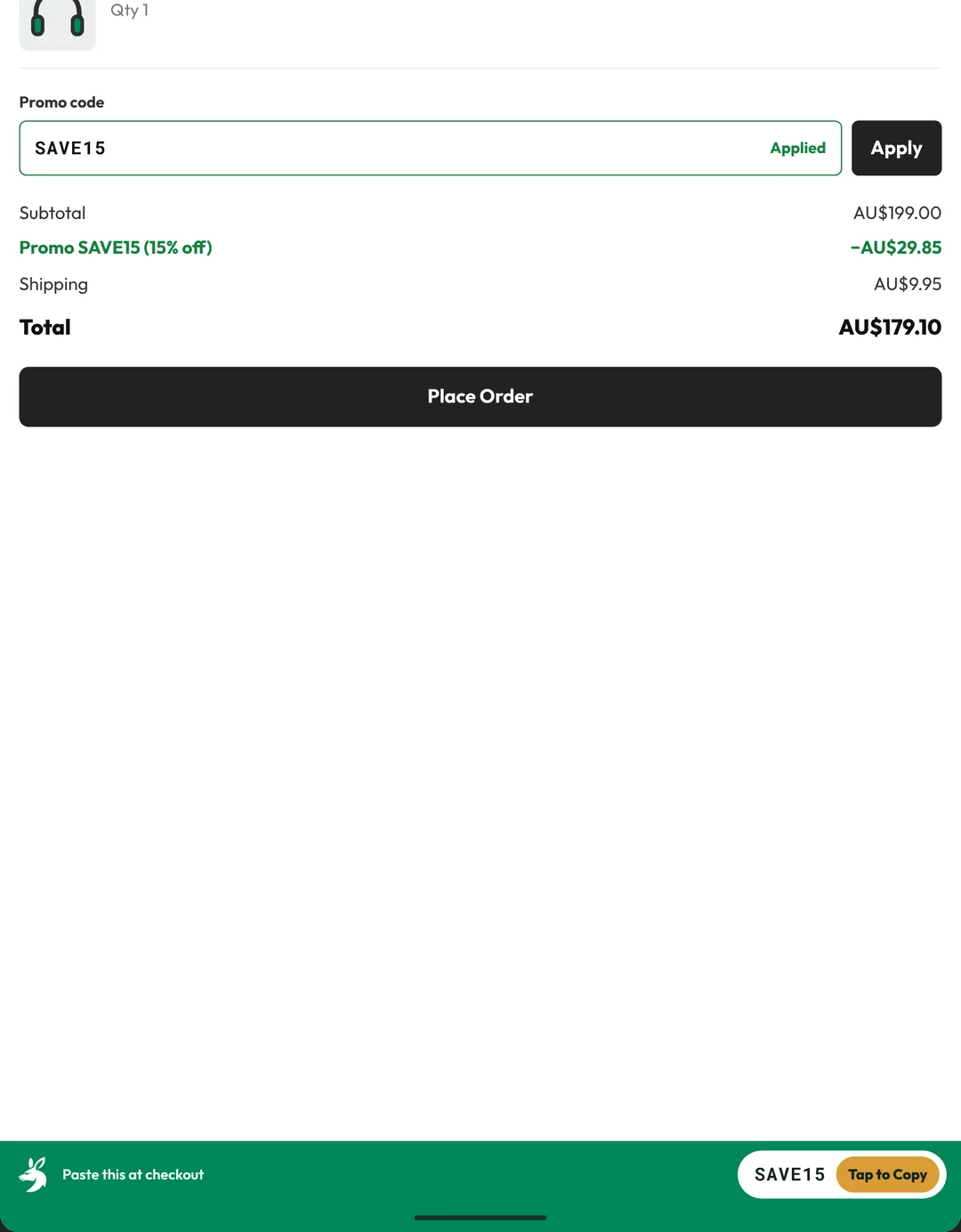
  • A store checkout on a tablet with the code SAVE15 applied and the green bar at the bottom reading Paste this at checkout, with a Tap to Copy button
    Your code stays on screen at checkout
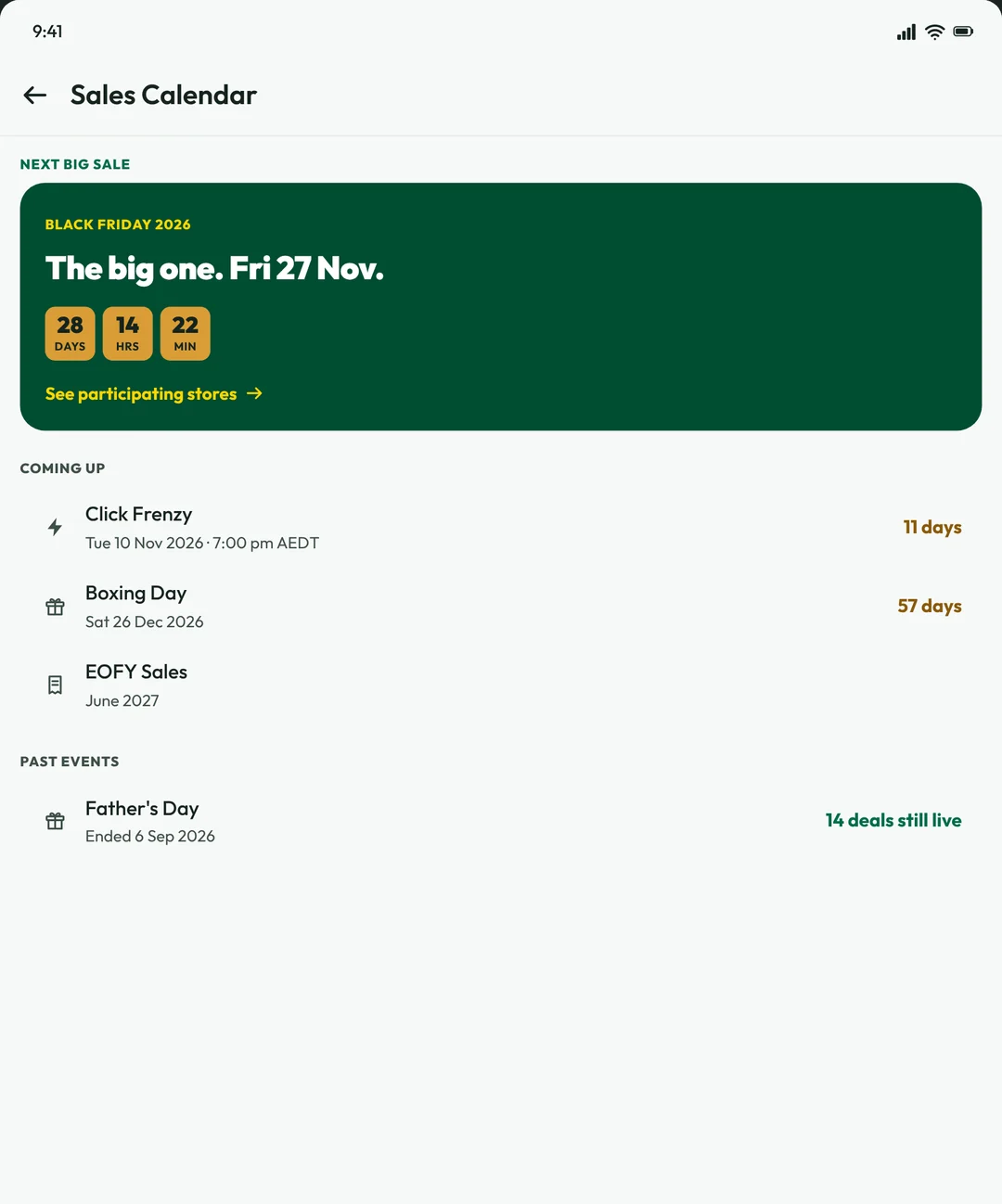
  • The Sales Calendar on a tablet, with a Black Friday countdown and the sales coming up
    A countdown to the big sales

Your data

What the app collects, in plain words

The app was built to know as little as possible. Here is everything it sends us, and what it keeps on your phone.

Sent to AussieDiscount

Stores, codes and sales
The app downloads them the way the website does. It adds nothing about you, though our hosting keeps the usual web logs, such as your IP address and device type.
When you open a store
We record the tap (the store, the code, the time, your IP address and device type), then send you to the store through our affiliate link. The store and its affiliate network see your visit and can set their own cookies in the app's browser. Their privacy policies apply from there.
Your votes
Whether a code worked, and any star rating you give a store, stored with your IP address. That's what stops one person voting again and again.
Messages you send
If you use Contact Us or report a code, the name, email and message you type, so we can reply.

Stays on your phone

  • Your saved codes. They are stored on the device with no account, and nothing is sent to us.
  • What you search for. Search runs on the phone, and recent searches stay there.
  • Your choices: the categories you picked, and Light, Dark or System appearance.
  • The deals you last loaded, kept for up to 24 hours so they work offline.
  • Anything you type on a store's own pages. The app doesn't type into them or read them.
  • No account
  • No ads
  • No analytics or crash reporting
  • No tracking
  • No location, contacts, camera or microphone

Uninstalling removes everything the app stored on your phone. To have your vote records removed, email privacy@aussiediscount.com.au. More in our Privacy Policy.

Every store, one app

Codes for 106+ Australian stores

From fashion to groceries, pet supplies to tech. Tap a store to see its codes on our site, or find it in the app.

Get it free

Pick your device

Questions

App FAQ

Is the app free?

Yes. There is no subscription, no premium tier and nothing to buy. We earn a small commission from stores when you shop through our links, at no extra cost to you. Our Affiliate Disclosure explains how.

Do I need an account?

No. You can browse, search, copy and save codes without signing up. Saved codes stay on your phone.

Does it work on tablets?

Yes. Install it from Google Play on an Android tablet the same way as on a phone. It fills the bigger screen with the same stores, codes and Saved tab, on 7-inch and 10-inch tablets.

Which devices does it work on?

Android phones and tablets, from Google Play.

Is there an iPhone version?

Not yet. In the meantime AussieDiscount.com.au works in Safari on iPhone, with the same stores and codes.

A Verified code did not work. Why?

Codes can end early or have rules such as a minimum spend or selected items only. Tap No on Did it work, so other shoppers know, then try the next code.

Does it work offline?

Partly. The deals you last loaded stay on your phone for up to 24 hours, so you can still look through them. Opening a store and copying fresh codes needs a connection.



What does the app know about me?

Very little. There is no account, and no ads, analytics, crash reporting or tracking. It never asks for your location, contacts, photos, camera or microphone. The section above lists the few things that are sent to us and what stays on your phone.

How do I remove it?

Press and hold the AussieDiscount icon, choose App info, then Uninstall. Everything the app stored on your phone, including saved codes, is removed with it.

Can I suggest a store or share a code?

Yes. Use Contact Us in the app's Account tab, or our Submit a Coupon page. Store suggestions are welcome through our contact page.

Should I use the app or the browser extension?

Both, if you shop on both. The app is for your phone and the browser extension is for Chrome, Firefox and Edge on a computer. They are separate, so saved codes do not carry over between them.